
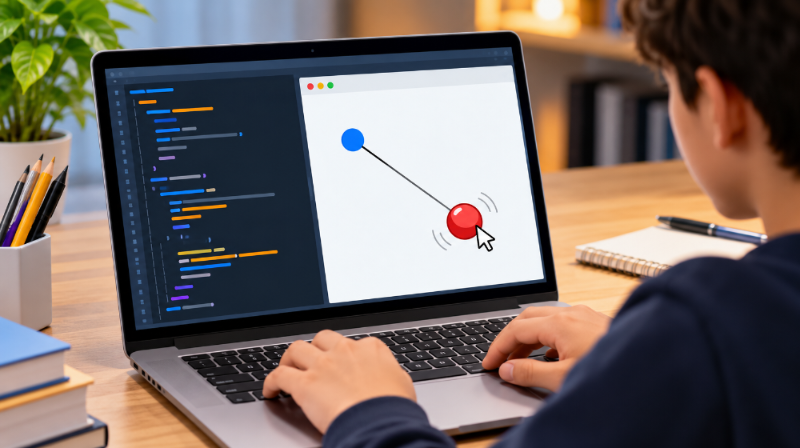
If you are looking for leash codehs answers, you are likely working on the Leash exercise in CodeHS’s JavaScript graphics curriculum. CodeHS currently lists 9.7.4 Leash as an exercise within its Drawing Lines unit, following lessons on mouse events and line drawing. The exercise brings together several beginner programming concepts, including graphics objects, coordinates, variables, functions, and mouse-event callbacks. Understanding how these pieces work together makes it easier to write, test, and correct your own program.
What Is the CodeHS Leash Exercise?
The CodeHS course outline identifies Leash as exercise 9.7.4 in its JavaScript course. It appears in the Drawing Lines section, after students have learned about mouse movement and basic line drawing.
The activity is designed around interactive graphics rather than a traditional console program. The central idea involves connecting a graphical object to a line and responding to mouse movement. This makes the exercise useful for learning how coordinates change while a program is running.
When studying leash codehs answers, it is important to focus on the required behavior in your own course version. CodeHS courses can have different versions or structures, so the assignment instructions shown in your classroom should be treated as the final authority.
The Main Programming Concepts Involved
The exercise brings together several concepts that are individually simple but become more useful when combined. CodeHS’s current JavaScript Graphics documentation explains how circles, lines, canvas dimensions, and mouse events can be used together.
A circle can be created with new Circle(radius), while a line can be created with new Line(x1, y1, x2, y2). The circle’s position can then be changed with setPosition(), while a line’s endpoint can be changed with setEndpoint().
The exercise therefore provides practice with object creation, object references, coordinate systems, and event-driven programming rather than relying on a single complicated command.
Understanding the Canvas Coordinates
Coordinates are an important part of leash codehs answers because graphical objects are positioned using x and y values. CodeHS provides getWidth() and getHeight() to obtain the dimensions of the graphics canvas. Dividing either value by two gives the corresponding center coordinate.
For example, the basic idea for finding the canvas center is:
var centerX = getWidth() / 2;
var centerY = getHeight() / 2;
These values can be used when positioning an object or creating a line. Thinking about the exercise in terms of points makes the behavior easier to understand. One point can remain fixed, while another point changes whenever the mouse moves.
How the Mouse Event Works
Mouse events are one of the most important ideas behind the exercise. CodeHS documents mouseMoveMethod(functionToCall) as a way to register a function that should run when the mouse moves. The documentation also shows that the callback receives an event object containing methods such as getX() and getY().
A simplified pattern looks like this:
mouseMoveMethod(onMouseMove);

function onMouseMove(e) {
    var x = e.getX();
    var y = e.getY();
}
The important detail is that the function name is passed without parentheses. CodeHS specifically notes that parentheses should be omitted when registering the callback.
Connecting the Ball and Line
A typical approach to leash codehs answers uses the same mouse coordinates for both the moving graphical object and the appropriate endpoint of the line.
For example, CodeHS documents setPosition(x, y) for changing a circle’s center position and setEndpoint(x, y) for changing the endpoint of a line.
The underlying relationship can be represented as:
Fixed point
     \
      \
       ● Mouse position
The circle can be positioned at the current mouse coordinates, while the line endpoint is assigned those same coordinates. This keeps the two graphical elements connected as the pointer moves.
That relationship is more useful to understand than memorizing a particular completed submission.
Common Mistakes to Check
Students searching for leash codehs answers often need help because of small programming errors rather than complicated logic. One common mistake is using the wrong capitalization. JavaScript method names such as setPosition(), setEndpoint(), and getX() must be written correctly.
Another issue is registering a mouse callback incorrectly. CodeHS’s documentation shows mouseMoveMethod(onMouseMove), rather than mouseMoveMethod(onMouseMove()).
It is also worth checking whether the graphics objects are created before they are updated. If your event function tries to modify an object that has not been created or added appropriately, the program may not behave as expected.
Why setEndpoint() Matters
The Line object is especially important in this exercise. According to the official CodeHS Graphics documentation, setPosition() changes a line’s starting point, while setEndpoint() changes its ending point.
This distinction matters when one end of a line should stay fixed while the other follows changing coordinates.
For a leash-style effect, changing only the endpoint allows the starting location to remain unchanged. If you move the entire line instead, both ends may shift, producing different behavior from what the exercise requires.
Understanding the difference between these methods can also help with later graphics exercises involving drawing, dragging, and interactive objects.
A Better Way to Approach the Exercise
Rather than immediately searching for leash codehs answers, break the problem into smaller questions. First determine which graphical objects are required. Then identify where they should start. Next determine what should happen when the mouse moves.
After that, connect the mouse coordinates to the appropriate object properties.
This approach turns the assignment into a short sequence of logical steps:
- Create the required graphics.
- Position them according to the instructions.
- Register the mouse movement callback.
- Read the event’s x and y coordinates.
- Update the required graphical objects.
- Run the program and compare its behavior with the assignment requirements.
This method makes debugging considerably easier because each stage can be checked independently.
Why Understanding the Logic Helps
The value of the Leash exercise goes beyond completing one CodeHS activity. It introduces event-driven programming, where a program responds to something a user does instead of simply executing a fixed sequence from beginning to end.
The official documentation demonstrates that mouse events can respond to movement, clicks, dragging, button presses, and releases.
The exercise also reinforces coordinate-based graphics. Once you understand how an event supplies x and y values, those coordinates can control many different objects and interactions.
That makes the concepts behind leash codehs answers relevant to other interactive graphics projects as well.
Checking Your Program Before Submission
Before submitting your solution, test the behavior rather than checking only whether the code runs without an obvious error. Move the mouse around different areas of the canvas and observe whether the graphical objects respond as required.
Check the starting position, movement behavior, line connection, and object placement. If something looks wrong, inspect the coordinates first.
Also compare your program with the exact instructions provided by your teacher or CodeHS course. Public examples can help explain programming concepts, but they may not match every version of an assignment.
CodeHS’s current documentation confirms the relevant graphics methods and mouse-event behavior, while its course outline confirms the placement of Leash as exercise 9.7.4 in the referenced JavaScript curriculum.
Conclusion
The leash codehs answers topic is ultimately about understanding interactive graphics rather than memorizing a block of code. CodeHS identifies Leash as exercise 9.7.4 in its JavaScript Drawing Lines unit, and its official documentation provides the graphics and mouse-event methods needed for this type of program. By understanding canvas coordinates, graphical objects, event callbacks, and methods such as setPosition() and setEndpoint(), students can approach the exercise logically and troubleshoot their own implementation with greater confidence.
FAQs
1. What is Leash in CodeHS?
Leash is listed as exercise 9.7.4 in CodeHS’s JavaScript curriculum. It appears in the Drawing Lines unit and involves concepts related to graphics and mouse interaction.
2. Which programming language is used for the CodeHS Leash exercise?
The referenced CodeHS course is an Introduction to Computer Science course using JavaScript. The exercise appears within its JavaScript Graphics curriculum.
3. What does mouseMoveMethod() do?
mouseMoveMethod() registers a function that CodeHS calls when the mouse moves. The callback can access the event’s x and y coordinates through getX() and getY().
4. What does setEndpoint() do in CodeHS?
setEndpoint(x, y) changes the ending point of a Line object. This allows one endpoint to follow changing coordinates while the starting point remains unchanged.
5. Why should I check my own CodeHS assignment instructions?
Course versions can differ, so publicly available examples may not exactly match your assignment. Your current CodeHS instructions should determine the required objects, behavior, and implementation.